
Prototype Meaning: Types, Benefits & Examples
A prototype is an early version of a product, system, service, or idea that is created to explore how something might work before the final version is built. Prototypes can be as simple as a paper sketch or as advanced as a nearly functional software application, physical device, or interactive digital interface. Businesses, designers, engineers, developers, and entrepreneurs use prototypes to test ideas, uncover problems, gather feedback, and reduce uncertainty. Instead of investing heavily in an untested concept, teams can create a smaller representation and learn from it first. This approach can save time, reduce development costs, and improve the quality of the finished product. Prototyping is therefore a central part of modern product development and innovation.
The meaning of prototype changes slightly depending on the industry, but the basic principle remains the same. A UX designer might build a clickable app prototype, while an engineer may create a physical model using 3D printing. A startup could prototype a new service using manual processes before investing in expensive automation. Even a business process can be prototyped by testing a simplified workflow with a small group of employees. The goal is usually not to create something perfect but to learn as efficiently as possible. Understanding the types of prototypes, their benefits, and real-world examples can help teams choose the right approach for each stage of development.
What Does Prototype Mean?
A prototype is a preliminary version of something that is built so people can examine, test, or experience an idea before committing to the final design. The word is commonly used in product development, software engineering, user experience design, manufacturing, architecture, and business innovation. A prototype does not have to contain every feature planned for the finished product. Instead, it usually focuses on the elements that need to be tested or understood. A team may create one prototype to evaluate appearance and another to test technical performance. This flexibility makes prototyping useful throughout the development process rather than only at the beginning.
The simplest way to understand prototype meaning is to think of it as a learning tool. Imagine a company planning a new mobile banking application with dozens of features. Building the complete application before asking users whether the navigation makes sense would create significant risk. The team could instead create a clickable prototype showing only key screens such as login, account balances, transfers, and payments. Test users could interact with those screens and explain where they become confused. Developers would then receive useful information before writing the full application. The prototype turns an abstract idea into something that people can actually evaluate.
A prototype can also help teams communicate more clearly. Written specifications and meetings sometimes create the illusion that everyone agrees even when different people imagine the product differently. Showing an early model makes those differences visible. A manager may realize that a button is in the wrong place, while an engineer may identify a technical constraint that was not obvious from a written requirement. Customers may also react differently when they can see or use something rather than simply hear it described. Prototypes therefore act as shared reference points that improve conversations between technical teams, business stakeholders, designers, and users.
Prototypes vary widely in quality and completeness, so the term should not be confused with an unfinished final product. Some prototypes are intentionally rough because the team wants fast feedback before investing in visual details. Others are highly polished because the goal is to test realistic interactions, demonstrate a concept to investors, or validate manufacturing requirements. A prototype may be disposable after testing or gradually evolve into the final product. The appropriate level of detail depends on what the team needs to learn. Building more than necessary can waste resources, while building too little may fail to answer the important questions.
A useful prototype should therefore have a clear purpose. Before creating one, teams should ask what assumption, risk, behavior, or feature they want to test. A prototype designed to evaluate user navigation does not necessarily need a working database. A prototype designed to test whether a mechanical component can withstand pressure may not need attractive colors or packaging. Defining the learning objective keeps the prototype focused and reduces unnecessary work. The best prototype is not always the most realistic one. It is the version that provides reliable information while using an appropriate amount of time, money, and effort.
Main Types of Prototypes
Low-fidelity prototypes are simple representations used to explore ideas quickly and cheaply. They may include paper sketches, basic wireframes, sticky-note interfaces, rough cardboard models, or simple diagrams. These prototypes intentionally avoid detailed visual design because the team is still testing broad concepts such as layout, workflow, shape, or user flow. Low-fidelity prototypes are particularly valuable early in development because they can be changed within minutes. People may also feel more comfortable criticizing a rough sketch than a polished design. This encourages honest feedback and reduces emotional attachment to one early idea.
High-fidelity prototypes look and behave much more like the intended final product. In software design, they may include realistic colors, typography, images, animations, and clickable interactions. A physical high-fidelity prototype might use materials and dimensions that closely resemble the planned production version. These prototypes are useful when teams need feedback on detailed interactions, visual appearance, usability, or presentation. They can also help stakeholders understand what the final experience is likely to feel like. However, they require more time and effort, so creating them too early may lead teams to polish ideas that should first be reconsidered at a more basic level.
Functional prototypes are built primarily to demonstrate or test how a product works. They may not look attractive, but important technical functions operate in a realistic way. An electronics company might create a rough circuit board to test whether sensors and processors communicate correctly. A software team could build a small application that performs one difficult calculation while using a very basic interface. Functional prototypes help answer questions about feasibility, performance, reliability, and integration. They are especially useful when the greatest uncertainty involves technology rather than appearance. Once the technical concept is proven, design and manufacturing work can continue with greater confidence.
Visual prototypes focus more heavily on how a product looks, feels, or communicates its design. These models may accurately represent size, shape, color, materials, or interface style without including complete functionality. Automobile manufacturers, for example, may create full-scale design models to evaluate proportions and styling before building a fully working vehicle. Packaging companies can create printed mock packages to test shelf appearance and branding. Digital teams may build polished interface screens without connecting them to real back-end services. Visual prototypes allow teams and stakeholders to judge design choices separately from complex technical implementation.
There are also specialized prototypes such as throwaway, evolutionary, horizontal, and vertical prototypes. Throwaway prototypes are created only to answer specific questions and are discarded afterward, while evolutionary prototypes gradually develop into the final system. Horizontal prototypes show a broad range of features with limited depth, whereas vertical prototypes explore one feature deeply from interface to underlying technology. Choosing between these approaches depends on the biggest uncertainty facing the project. A team exploring an entire user journey may prefer a horizontal prototype, while one testing a difficult payment function may build a vertical version. Understanding prototype types helps teams avoid using one method for every problem.
How the Prototyping Process Works
The prototyping process usually begins with defining the problem rather than immediately creating a design. Teams need to understand who the intended users are, what problem the product should solve, and which assumptions remain uncertain. Research may include interviews, analytics, market observations, customer complaints, or discussions with internal stakeholders. Once the problem is clear, the team can identify the most important questions the prototype should answer. These questions might involve usability, desirability, technical feasibility, manufacturing cost, or customer willingness to pay. A focused objective prevents the prototype from becoming an unfocused miniature version of the entire final product.
The next stage involves generating possible solutions. Designers and product teams may sketch several alternatives before choosing one or more concepts to prototype. Exploring multiple options is useful because the first idea is rarely automatically the strongest. Brainstorming, storyboards, diagrams, user flows, and rapid sketches can help teams think broadly without investing heavily in any one direction. At this point, speed usually matters more than visual perfection. The purpose is to compare possibilities and decide which concepts deserve further testing. Teams that jump directly to polished execution may overlook simpler or more effective approaches.
Once a concept is selected, the team creates a prototype at the lowest level of fidelity needed to answer the current question. A paper interface may be enough to test navigation, while a coded prototype might be required to evaluate performance. Physical products could use foam, cardboard, 3D printing, CNC machining, or temporary production components depending on the goal. The team should avoid adding features that do not contribute to the test objective. Every additional detail consumes time and may distract users from the questions being studied. Efficient prototyping means creating only enough realism to generate useful feedback.
Testing then places the prototype in front of users, customers, engineers, or other relevant people. Observing behavior is often more valuable than simply asking whether participants like the design. A user may say an interface seems easy while repeatedly struggling to locate an important feature. Product teams should therefore watch what people do, record where mistakes occur, and ask open-ended questions about expectations. Technical prototypes may instead be measured using performance, strength, speed, accuracy, or reliability criteria. Good testing connects observations back to the assumptions that motivated the prototype in the first place.
Finally, the team uses the findings to refine, replace, or reject the concept. Prototyping is usually iterative, meaning several versions may be created before the design becomes mature enough for development or production. Some tests confirm that an idea works, while others reveal that the team should take a completely different direction. Both outcomes are valuable because discovering a weak idea early is cheaper than discovering it after launch. Teams may move between low- and high-fidelity prototypes as different questions emerge. The process continues until major uncertainties have been reduced enough to justify a larger investment.
Key Benefits of Building a Prototype
One of the biggest benefits of prototyping is reducing development risk. New products contain assumptions about customers, technology, pricing, usability, manufacturing, and market demand. Building the complete solution before testing those assumptions can make mistakes extremely expensive. A prototype allows the team to explore the riskiest elements earlier and with fewer resources. If the idea fails, the organization can change direction before committing to full production. If it succeeds, stakeholders gain stronger evidence that further investment is justified. Prototyping does not remove all uncertainty, but it helps organizations make decisions using observations rather than assumptions alone.
Prototypes can significantly improve the user experience because real users can interact with designs before launch. Product teams often understand their own systems so well that they overlook confusing terminology, unnecessary steps, or hidden navigation problems. Test participants approach the prototype with fewer assumptions and quickly expose areas that are difficult to understand. Designers can then improve those areas before developers build them permanently. Repeated usability testing can reduce friction throughout important tasks such as checkout, registration, search, onboarding, or account management. Better early testing frequently leads to products that require less explanation once they reach customers.
Another benefit is improved collaboration across different teams. Designers can show developers how an interface should behave, while engineers can identify technical limitations before expensive work begins. Marketing teams can evaluate how a product concept aligns with customer positioning, and sales teams may provide insight from conversations with potential buyers. Executives can also review a tangible model rather than trying to interpret long specification documents. Because everyone can react to the same artifact, misunderstandings become easier to identify. Prototypes often reduce lengthy debates because teams can test competing ideas rather than arguing about which one sounds better.
Prototyping can also reduce cost, even though creating prototypes requires some upfront investment. The cost of changing a rough sketch is usually much lower than changing a finished product, manufacturing tool, or complex software system. Identifying problems with dimensions, navigation, features, or technical architecture before production prevents expensive rework later. Manufacturers can use prototypes to detect assembly challenges before ordering large quantities of components. Software companies can identify workflow problems before developing complete back-end systems. The earlier a mistake is discovered, the easier it usually is to correct, making prototyping an important form of cost control.
Prototypes can also support fundraising, sales, and stakeholder approval. Investors may understand an idea more easily when they can interact with something tangible instead of listening to a purely conceptual pitch. Corporate decision-makers may also feel more confident funding a project after seeing evidence that customers can use or understand the proposed solution. Sales teams can use controlled prototypes to demonstrate a future product during selected conversations. However, teams should clearly explain which parts are real and which are simulated. A prototype builds trust when it communicates progress honestly, but it can create unrealistic expectations if it is presented as more complete than it actually is.
Real-World Prototype Examples
A mobile application provides one of the easiest prototype examples to understand. Imagine a food-delivery company planning a new feature that allows customers to schedule orders several days in advance. Instead of developing the scheduling engine, payment logic, restaurant integrations, and notifications immediately, designers could create a clickable prototype showing the planned screens. Users could select a restaurant, choose a future date, pick a delivery window, and proceed through a simulated checkout. Researchers could then observe whether people understand how scheduled delivery differs from immediate delivery. Their feedback would guide the final interface before developers invest in complex technical integration.
Physical consumer products also rely heavily on prototypes. A company developing a reusable water bottle might create several 3D-printed models with different shapes, lid mechanisms, and handle designs. Users could hold each version, test how easily the lid opens, and judge whether the bottle fits comfortably in common cup holders. Engineers might build another functional prototype to test whether the seal leaks under pressure. The final product could combine insights from both ergonomic and technical testing. Without prototypes, these problems might not become obvious until thousands of bottles had already been manufactured.
Automotive development involves many different prototypes throughout the life of a new vehicle. Designers may begin with digital models and physical clay forms to explore proportions and appearance. Engineers can later build test vehicles containing experimental suspension systems, batteries, motors, safety technology, or software. Some prototypes are used for crash testing, while others evaluate aerodynamics, durability, climate performance, or driver experience. No single prototype needs to answer every question. Breaking the development process into different test models allows automotive teams to study complex systems systematically before large-scale production begins.
Service businesses can prototype experiences even when no physical product exists. A healthcare company planning a new appointment-booking service might simulate the process manually before creating expensive software. Employees could act behind the scenes while a small number of customers interact with a simple web form. The company could measure what information customers provide, which questions they ask, and where scheduling confusion occurs. These insights would influence the eventual automated platform. This type of service prototype is sometimes called a concierge or Wizard-of-Oz approach because the experience appears more automated to users than it actually is behind the scenes.
Retailers can prototype store layouts and customer journeys as well. Before renovating hundreds of locations, a retailer might create one test store where signage, shelving, checkout placement, and digital displays are arranged differently. Customer movement and purchasing behavior can then be observed in a real environment. Online retailers can perform similar experiments with interactive web prototypes before launching major redesigns. Business-process prototypes are also possible, such as testing a new returns procedure in one region before expanding nationally. These examples demonstrate that prototyping is not limited to inventing physical products; almost any customer or operational experience can be tested at a smaller scale.
Prototype vs MVP, Wireframe, Mockup, and Proof of Concept
A prototype and a minimum viable product, or MVP, are related but serve different purposes. A prototype is primarily built to learn, test, or communicate an idea and may never reach real customers as a usable product. An MVP is a working version released to actual users with enough functionality to deliver genuine value and generate market learning. A prototype might simulate a payment process without processing real money, whereas an MVP must perform the transaction reliably if payment is part of its core value. Teams sometimes confuse the two and invest too much in a prototype because they assume it must be production-ready.
A wireframe is a simplified visual representation of a digital interface and can be considered one form of low-fidelity prototype when used interactively or for testing. Wireframes usually show structure, navigation, information hierarchy, and placement without detailed colors, imagery, or polished typography. They answer questions such as where menus should appear or which information belongs on a particular screen. A prototype can go much further by including clickable interactions, realistic content, or functional behavior. Not every wireframe is interactive enough to qualify as a full prototype. However, wireframing is often one of the earliest steps in a digital prototyping workflow.
A mockup focuses heavily on visual appearance. It may show exactly how a website, application, package, or product should look without behaving like the finished version. Designers use mockups to evaluate colors, typography, branding, spacing, imagery, and other visual details. A high-fidelity prototype may start from these mockups and add interactions so users can move through the experience. The difference is therefore mainly about behavior. A mockup shows what something looks like, while a prototype often demonstrates what happens when someone uses it.
A proof of concept, commonly called a POC, focuses primarily on whether an idea is technically or practically possible. For example, an AI company may build a small proof of concept to see whether a model can accurately classify a particular type of document. The interface could be extremely basic because customer experience is not yet the central question. Once feasibility is established, the team may create a prototype that explores how customers should interact with the capability. The terms can overlap in real organizations, but their emphasis is different. A POC proves possibility, while a prototype usually explores design, behavior, or usability more broadly.
Understanding these distinctions helps teams choose the right artifact for the question they need to answer. If the uncertainty is whether technology works, a proof of concept may be sufficient. If the problem is whether users understand the interface, an interactive prototype may be more appropriate. If stakeholders need to evaluate branding, a detailed mockup can work. If the organization is ready to release a small but functional product to real customers, an MVP becomes relevant. Using the correct term is less important than matching the method to the learning objective, but clear terminology improves communication across teams.
Tools and Techniques Used to Create Prototypes
Digital product teams frequently use design platforms such as Figma and similar interface-design tools to create wireframes, mockups, and interactive prototypes. These tools allow designers to connect screens, simulate buttons, create transitions, and share prototypes through a browser without writing production code. This makes user testing much faster because changes can be made immediately after feedback sessions. Design systems can also be incorporated so prototypes use consistent components and patterns. High-fidelity digital prototypes can look remarkably realistic even when no back-end system exists. However, teams should avoid adding unnecessary polish when a simpler version would answer the same question.
Developers may create coded prototypes when interaction or technical behavior cannot be simulated adequately in a visual design tool. HTML, CSS, JavaScript, mobile development frameworks, and rapid application platforms can all be used to build experimental interfaces. No-code and low-code platforms can also help teams create functional workflows quickly without building every component from scratch. These approaches are particularly useful when testing integrations, data handling, or dynamic interactions. A coded prototype requires more effort than a clickable design, so the added complexity should have a clear purpose. The goal remains learning rather than building production infrastructure prematurely.
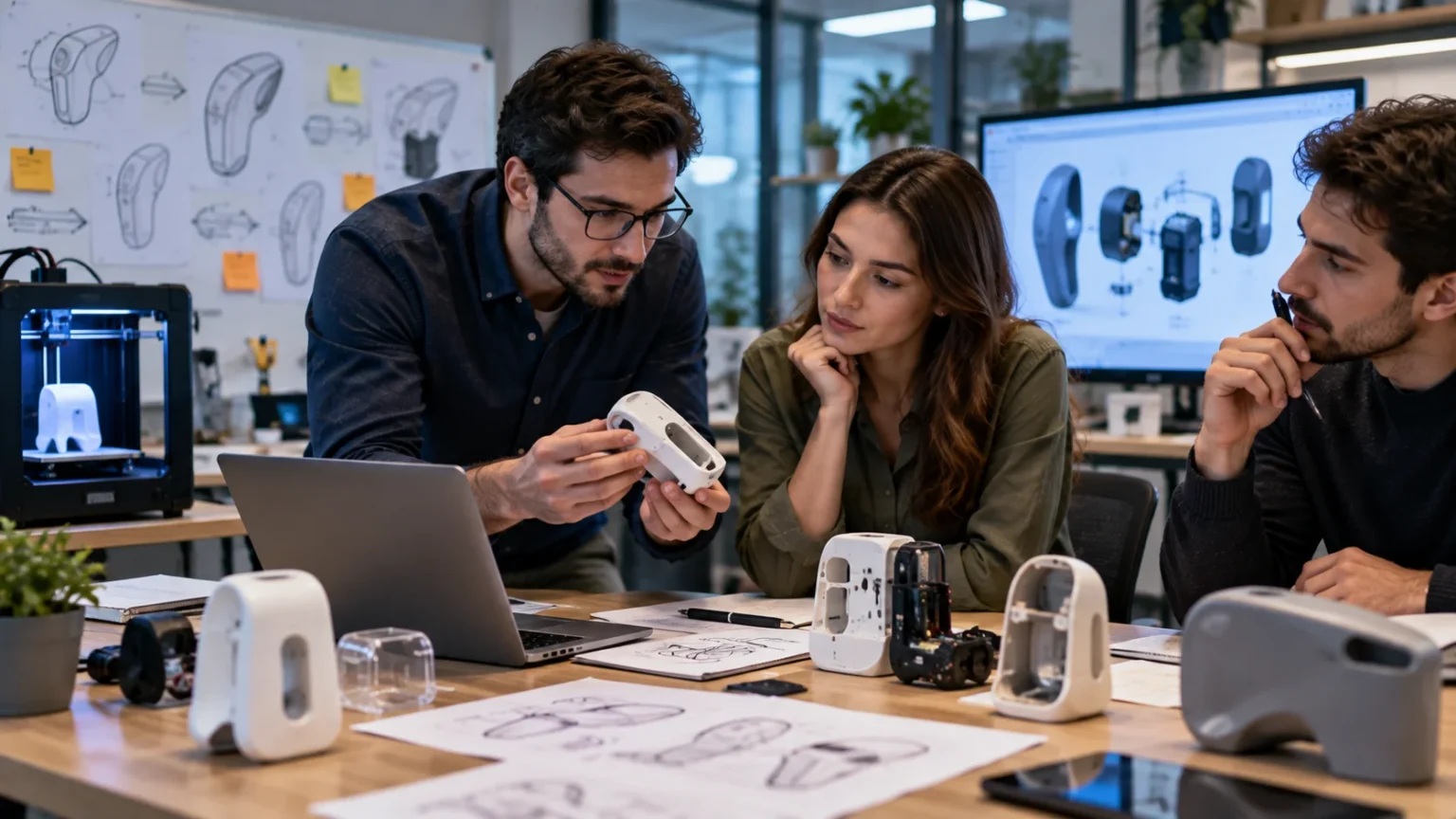
Physical product teams have access to a wide range of prototyping techniques. Simple materials such as cardboard, foam, wood, clay, and plastic can be useful during early exploration. Computer-aided design software allows engineers to create precise digital models before producing physical parts. 3D printing has made it much faster and cheaper to create complex shapes for testing fit, form, and basic function. CNC machining, laser cutting, casting, and temporary molds may be used when stronger or more realistic materials are required. Each technique offers different tradeoffs involving cost, speed, accuracy, and durability.
Electronics and hardware prototypes often combine off-the-shelf components with custom parts. Development boards, sensors, breadboards, motors, batteries, and temporary wiring allow engineers to test functions without designing an entire production circuit board immediately. A smart-home company, for instance, might connect a standard microcontroller to temperature and motion sensors to test automation logic. Once the concept works, engineers can design smaller and more efficient custom hardware. This staged approach reduces technical risk before expensive tooling and manufacturing decisions are made. Hardware prototyping is particularly valuable because physical production changes can become costly once supply chains are established.
Teams should choose prototype tools based on the question being tested rather than what technology seems most impressive. Paper and sticky notes can sometimes reveal usability problems faster than a sophisticated design platform. A simple spreadsheet can prototype pricing logic before custom software is written. Manual customer service can test a future automated workflow before investing in artificial intelligence. The best technique is usually the simplest one capable of producing reliable learning. Using advanced technology where it adds no meaningful information can slow experimentation and increase attachment to a concept that may still need major changes.
Common Prototyping Mistakes and Best Practices
One common mistake is creating a prototype without defining what the team wants to learn. When the objective is unclear, teams often add features simply because they seem interesting. The prototype becomes larger, more expensive, and harder to test without necessarily reducing uncertainty. Before starting, write down the main assumption or question being investigated. Decide what evidence would indicate success, failure, or the need for further testing. This keeps the prototype focused and makes results easier to interpret. Clear questions also help stakeholders understand why certain features are intentionally missing.
Another mistake is making the first prototype too polished. High-fidelity designs can take considerable time and may cause teams to become emotionally attached to their work. Test users may also hesitate to criticize something that looks nearly finished because they assume major changes are no longer possible. Starting with rough prototypes encourages experimentation and makes iteration feel less expensive. As uncertainty decreases, fidelity can gradually increase. This progression allows teams to spend design effort only on ideas that have already survived more basic testing.
Testing only with internal employees is another common problem. Employees often understand the product, business terminology, and company assumptions too well to behave like genuine customers. A workflow that seems obvious internally may confuse someone seeing it for the first time. Whenever possible, include people who closely resemble the intended users in prototype testing. Recruit participants based on relevant behaviors and needs rather than convenience alone. Internal feedback still has value, particularly for technical or operational issues, but it should not automatically substitute for customer evidence.
Teams also make mistakes when they treat positive comments as proof that a prototype will succeed commercially. People may say they like an idea without being willing to pay for it, switch from an existing product, or change their behavior. Prototype testing should therefore observe actions and tradeoffs rather than asking only whether someone likes the concept. When possible, test realistic decisions such as signing up, choosing between options, requesting access, or committing time. The closer the behavior is to a real market action, the stronger the learning usually becomes. Compliments are encouraging, but they are not always evidence of demand.
Finally, successful prototyping requires teams to treat failure as useful information. If users consistently misunderstand a feature, the solution is not to explain it more aggressively during every test. The design itself may need to change. If a technical prototype fails to meet performance requirements, that discovery can prevent a much more expensive production failure later. Teams should document what they learned and update assumptions rather than judging the prototype solely on whether it “worked.” The purpose of prototyping is to learn before the cost of learning becomes much higher.
Frequently Asked Questions
What is a prototype in simple words?
A prototype is an early version or model of a product, service, system, or idea created so it can be tested before the final version is built. It helps teams learn what works, what does not, and what should be improved.
What are the main types of prototypes?
Common types include low-fidelity, high-fidelity, visual, functional, throwaway, evolutionary, horizontal, and vertical prototypes. The right type depends on whether a team needs to test appearance, usability, functionality, feasibility, or another specific question.
What is an example of a prototype?
A clickable mobile-app design that allows users to move through simulated screens is a common prototype example. A 3D-printed product model, cardboard package, or manually operated version of a future digital service can also be a prototype.
What is the difference between a prototype and an MVP?
A prototype is mainly used for testing and learning and may never be released as a real product. An MVP is a functional product with enough features to deliver actual value to real users and collect market feedback.
Why are prototypes important?
Prototypes reduce risk by revealing usability, technical, design, and business problems before full development or production. They can save money, improve collaboration, strengthen customer feedback, and help teams make better decisions earlier.