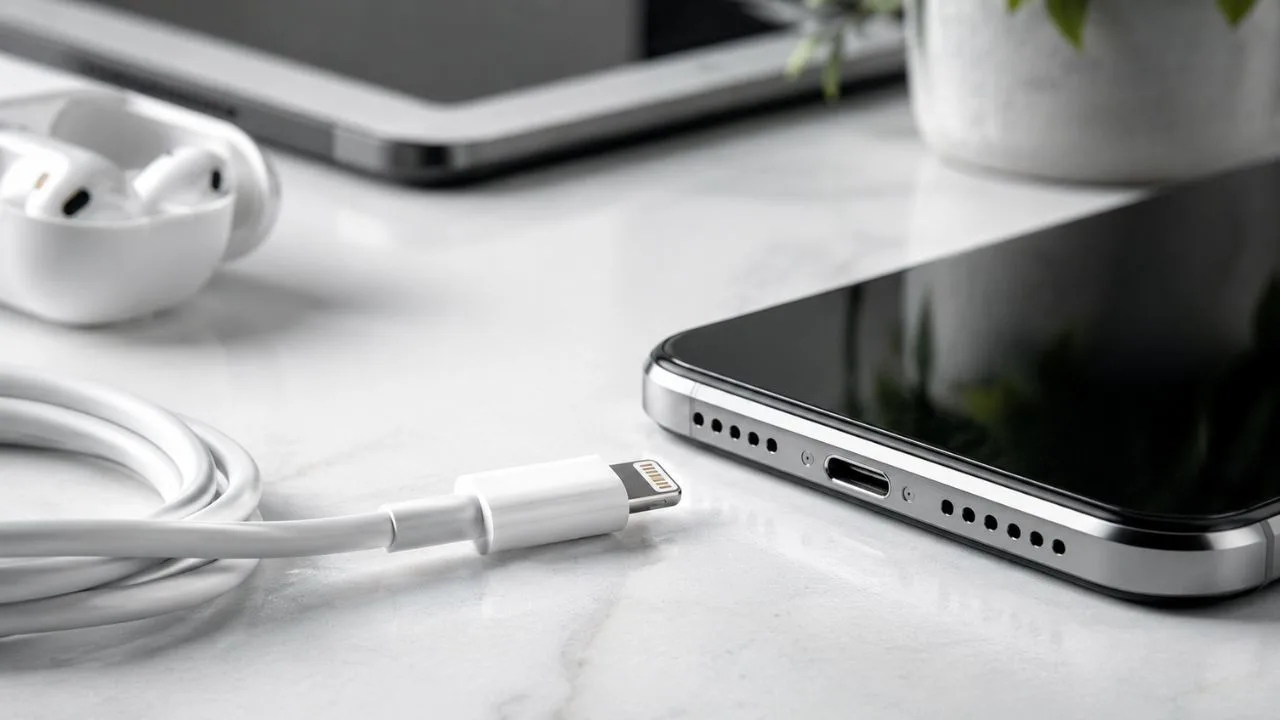

What Is the Lightning Connector? What You Have To Know
The Lightning connector is a small connection system developed by Apple for charging, syncing and connecting compatible devices to accessories. It is best known as the port found on many older iPhone models, although it has also appeared on iPads, AirPods cases, iPods, Apple accessories and selected Beats products.
Apple introduced Lightning as a smaller replacement for its older 30-pin dock connector. Its compact design allowed devices to become thinner while offering a simpler connection experience. Unlike many older USB connectors, the Lightning plug can be inserted with either side facing upwards.
A Lightning cable may connect to a USB-A or USB-C port at its other end. This means the word “Lightning” describes the connector that enters the Apple device, not necessarily the plug connecting to the charger or computer. Choosing the correct cable therefore depends on both ends of the connection.
Although newer iPhones now use USB-C, millions of Lightning-compatible devices remain in use. Understanding how the connector works can help you choose the right charging cable, avoid incompatible accessories, troubleshoot connection problems and decide whether older Lightning equipment will work with a newer Apple device.
What Does Lightning Connector Mean?
The Lightning connector is Apple’s compact, reversible plug for compatible mobile devices and accessories. It has visible contacts on both sides, allowing it to enter the device without a fixed upward or downward orientation. This design made everyday charging easier than with connectors that worked in only one direction.
The term can refer to the plug attached to a cable or the matching port built into a device. A Lightning plug is the narrow metal end that enters an iPhone or accessory, while the Lightning port is the opening that receives it. People commonly use “Lightning charger” to describe the complete cable and power adapter.
Lightning is a proprietary connector rather than a universal connector used by every technology manufacturer. Apple controlled its technical requirements and allowed approved companies to produce compatible accessories. This helped create an extensive range of charging docks, audio devices, adapters and vehicle connections.
The connector can carry electrical power and digital data. Depending on the device and accessory, it may support charging, file transfers, audio, photographs, video accessories and wired CarPlay. The available function depends on the cable, device, software and connected equipment rather than the connector’s shape alone.
When Did Apple Introduce the Lightning Connector?
Apple introduced the Lightning connector in 2012 as a replacement for the larger 30-pin dock connector. The new design appeared during a period when phones and tablets were becoming thinner and more portable. Its smaller physical size gave Apple greater flexibility when designing compact devices.
The older 30-pin connector had supported many Apple products, docks and speaker systems. Moving to Lightning therefore required users to purchase new cables or use suitable adapters. Although the transition created inconvenience, the reversible plug and smaller port offered a more practical long-term design.
Lightning became the standard wired connector across several Apple product categories. It appeared on many generations of iPhone, selected iPads, iPod touch models, charging cases and rechargeable accessories. This widespread use created a large market for compatible chargers, headphones, card readers and other products.
Apple later began moving products towards USB-C, first across several iPad and Mac categories and then across newer iPhone models. Lightning remains part of Apple’s product history and accessory ecosystem, but it is no longer the primary connection standard for newly released iPhones.
What Does a Lightning Connector Look Like?
A Lightning plug is narrow, flat and slightly rounded at the end. It has eight visible electrical contacts on each side of its metal tip. Because the contact arrangement is available on both surfaces, users can insert the plug without checking which side is facing upwards.
The device port is a small horizontal opening, usually located along the bottom edge of an iPhone or iPad. It is noticeably smaller than Apple’s former 30-pin port. The compact opening can collect pocket lint, dust and other debris, which may eventually interfere with charging.
A Lightning cable often has a white or coloured protective covering, although the outer design varies by manufacturer. One end contains the Lightning plug, while the other may contain USB-A or USB-C. Some specialised accessories use Lightning without including a traditional cable.
Lightning should not be confused with USB-C simply because both connectors are reversible. USB-C has a wider, hollow oval-shaped plug, while Lightning has a solid, exposed metal tip. The two connectors are physically different and cannot enter the same port without a suitable adapter.
How Does the Lightning Connector Work?
When the Lightning plug enters a compatible port, its contacts create electrical and data connections with the device. The system identifies the cable or accessory and determines which supported function is being requested. This may include charging the battery, transferring data or sending digital audio.
The reversible design requires the device to recognise how the plug has been inserted. Internal electronics route the necessary signals to the correct contacts, allowing either side of the connector to work. Users therefore receive the same basic functionality regardless of the plug’s orientation.
Want to Learn More Read Our How to Delete Threads Account in 7 Easy Steps
When used for charging, the cable carries power from a compatible adapter, computer or battery pack to the device. Charging speed depends on the iPhone or accessory model, cable condition, adapter capacity and supported charging standard. A high-powered adapter does not force an unsupported device to accept unsafe power.
When used for data, the Lightning connection allows compatible devices to communicate with a computer or accessory. The user may need to unlock the device or approve a trust prompt before information becomes accessible. This protects personal data from being transferred automatically to every connected computer.
What Is the Lightning Connector Used For?
Charging is the most common use of the Lightning connector. Users can connect a compatible iPhone, iPad, AirPods case or other accessory to a wall adapter, computer, vehicle port or portable power bank. The exact cable required depends on whether the power source uses USB-A or USB-C.
Lightning also supports data synchronisation between compatible Apple devices and computers. It can be used to back up an iPhone, transfer photographs, update software and synchronise selected content. Modern users frequently perform these activities wirelessly, but a cable can remain useful when Wi-Fi is slow or unavailable.
The connector can support wired audio through compatible headphones, adapters and sound equipment. After Apple removed the traditional headphone jack from many iPhones, Lightning headphones and Lightning-to-3.5-mm adapters became common ways to connect wired earphones.
Other uses include connecting camera adapters, microphones, MIDI devices, external displays and selected storage accessories. Compatibility varies considerably, and some equipment requires additional power. A connector fitting physically does not guarantee that the device, operating system and accessory support the intended function.
Which Apple Devices Use a Lightning Connector?
Many iPhone generations released before the USB-C transition use Lightning. This includes popular devices from the iPhone 5 era through the iPhone 14 family, along with several generations of iPhone SE. Owners should check their exact model rather than assuming every iPhone uses the same cable.
Several earlier iPad models also use Lightning, including selected standard iPads, iPad minis, iPad Air models and iPad Pro generations. Apple moved different iPad categories to USB-C at different times, so two visually similar tablets may require different charging cables.
Lightning has also appeared on iPod touch devices, selected AirPods charging cases and older versions of other Apple accessories. Some rechargeable Magic Keyboard, Magic Mouse and Magic Trackpad models use Lightning for charging and wired connections, although newer accessory versions may use USB-C.
The safest method is to inspect the port or check the device’s technical specifications. A Lightning port is narrow and contains a central opening, while USB-C is wider and more oval. Checking before purchasing prevents wasted money and reduces the risk of forcing the wrong plug into a device.
Do New iPhones Still Use Lightning?
Newer iPhone generations beginning with the iPhone 15 family use USB-C rather than Lightning. This change allows modern iPhones to share more charging cables with newer iPads, Macs and many non-Apple devices. Users upgrading from an older iPhone may therefore need a different cable.
Older Lightning-based iPhones continue to work with their existing compatible chargers and accessories. Moving to USB-C does not disable or reduce the usefulness of devices already owned. A reliable Lightning cable can remain useful for years when the connected device is still supported and functioning properly.
Apple also provides adapter options for connecting certain Lightning accessories to USB-C-equipped devices. However, adapters may introduce limitations involving charging speed, data transfer, audio or vehicle compatibility. A direct USB-C connection is generally simpler when equivalent equipment is available.
Anyone purchasing a replacement cable should identify the exact iPhone model first. Buying by brand name alone can lead to confusion because Apple now has both Lightning and USB-C iPhones in active use. Product descriptions should clearly state which connector is included.
Lightning to USB-A vs Lightning to USB-C
A USB-A-to-Lightning cable has the familiar rectangular USB plug at one end and a Lightning connector at the other. It works with many older wall adapters, computers, vehicle ports and power banks. This cable remains practical when the available charging source has traditional USB-A sockets.
A USB-C-to-Lightning cable has a smaller reversible USB-C connector at the power-source end. It can connect an older Lightning-equipped iPhone to a modern USB-C adapter, computer or compatible power bank. Selected iPhone models can also use this cable with a suitable adapter for faster wired charging.
The Lightning end performs the same basic role on both cable types, but the charging source and supported performance may differ. A USB-C adapter can often provide newer charging capabilities, while an older USB-A adapter may charge more slowly. Actual performance depends on every component in the connection.
Before buying a cable, inspect the adapter or computer port you intend to use. A USB-C-to-Lightning cable cannot connect directly to a USB-A socket, and a USB-A-to-Lightning cable cannot enter a USB-C port. A small adapter may help, but a direct cable is normally more dependable.
Can a Lightning Cable Fast-Charge an iPhone?
Selected Lightning-equipped iPhones support fast charging when connected through an appropriate USB-C-to-Lightning cable and compatible USB-C power adapter. This arrangement can deliver power more quickly than many older USB-A charging setups. The exact charging performance depends on the iPhone model and adapter.
Fast charging does not mean the battery receives maximum power continuously. The iPhone manages charging according to battery level, temperature and internal safety limits. Charging generally slows as the battery approaches full capacity, helping reduce heat and unnecessary battery stress.
A cable alone cannot create fast charging. The iPhone, power adapter and cable must all support the necessary charging method. Connecting a USB-C-to-Lightning cable to an unsuitable or low-powered source may result in ordinary charging rather than the faster performance the user expects.
Heat can also reduce charging speed. Using demanding applications, charging in direct sunlight or covering the phone with insulating materials may cause the software to limit power temporarily. Moving the device to a cooler environment can allow normal charging to resume.
How Fast Is Lightning Data Transfer?
Most Lightning-based iPhones and accessories transfer wired data at speeds associated with USB 2, which has a theoretical maximum of 480 megabits per second. Real-world transfer speeds are lower because of device performance, files, software and communication overhead.
This speed is normally sufficient for synchronising music, creating backups and importing ordinary collections of photographs. However, moving large video files through Lightning can take considerably longer than using a modern high-speed USB-C connection on supported hardware.
Certain older iPad Pro configurations could achieve faster transfer performance with specific Lightning accessories and supported equipment. This was an exception rather than a universal feature of every Lightning device. Users should check the exact specifications before expecting USB 3-level performance.
Wireless services have reduced the importance of cable speed for many users. Cloud backup, AirDrop, streaming and wireless syncing handle numerous everyday tasks. A wired connection remains valuable for reliability, offline use and large local backups, even when its transfer rate is not the fastest available.
Lightning Connector vs USB-C
Lightning is an Apple-designed proprietary connector, while USB-C is an industry-standard connector used by many manufacturers. Both are reversible, compact and able to carry power and data. USB-C, however, supports a wider range of devices, charging standards and high-speed data technologies.
USB-C can provide substantially faster data transfer on compatible devices and cables. It may also support higher charging power, external displays, storage devices and professional accessories through one physical connector. The exact capabilities still vary, because not every USB-C cable or port supports every feature.
Lightning offers a simpler legacy ecosystem for compatible Apple devices. Owners may already have several cables, docks, headphones and vehicle accessories that work reliably. Replacing all of these items immediately may be unnecessary while the original devices remain useful.
USB-C is the more future-focused option for newly purchased equipment. It reduces the number of different cables many users need and improves compatibility across phones, tablets and computers. Lightning remains relevant mainly because of the large installed base of older Apple products.
Is Lightning Better Than Micro-USB?
Lightning offered a major convenience advantage over traditional Micro-USB because it could be inserted in either direction. Micro-USB required users to align the plug correctly, and its small internal shape could be more difficult to connect in poor lighting.
Lightning also supported Apple’s controlled accessory ecosystem and a range of functions beyond basic charging. Compatible devices could use it for audio, data transfer, camera accessories and docking equipment. Micro-USB capabilities varied according to device and manufacturer implementation.
However, Lightning and Micro-USB are both older standards compared with modern USB-C. USB-C combines reversible insertion with broader cross-platform compatibility and support for faster data and charging on suitable hardware. It has therefore replaced both connectors across many product categories.
Users do not need to replace a functioning Lightning device simply because a newer standard exists. Connector choice matters most when buying new hardware or accessories. A reliable older product can continue performing its intended job safely with the correct cable.
What Is an MFi-Certified Lightning Cable?
MFi refers to Apple’s certification programme for accessories designed to work with products such as iPhone, iPad and iPod. A certified Lightning accessory has been developed according to Apple’s compatibility and performance requirements. Packaging may display an appropriate “Made for” label.
Certification can reduce the risk of connection errors, unreliable charging and poor accessory behaviour. It does not mean every certified cable is equally durable, but it provides greater assurance that the electronic components are intended to communicate correctly with supported Apple devices.
Very cheap uncertified cables may charge inconsistently, stop working after software updates or display an unsupported-accessory message. Poorly manufactured products can also have weak connectors, inadequate insulation or unstable electrical performance. Saving a small amount may not justify the inconvenience or risk.
When purchasing a third-party Lightning cable, choose a reputable seller and inspect the packaging and product description. Be cautious about misspelled branding, unusually low prices and vague compatibility claims. Certification is particularly important for accessories involving power, data or audio.
Can You Use Any Charger With a Lightning Cable?
A Lightning cable can connect to many compatible USB power sources, but the charger should meet recognised safety and performance requirements. The shape of the USB socket alone does not guarantee that an adapter is well made or suitable for charging valuable electronics.
The power adapter and device negotiate or manage the amount of power delivered. A higher-capacity reputable adapter does not normally force an iPhone to accept more power than it supports. The phone controls charging according to its design and current battery conditions.
Using an underpowered source may result in slow charging, especially while the phone is being used. A damaged or poorly manufactured adapter can cause disconnections, overheating or electrical risks. Stop using equipment that becomes excessively hot, smells unusual or shows visible damage.
Users should also inspect extension leads, travel adapters and vehicle chargers included in the charging setup. A high-quality Lightning cable cannot correct a failing power source. Reliable charging depends on the complete chain from the wall outlet to the device port.
Can Lightning Carry Audio?
Yes, Lightning can carry digital audio between compatible Apple devices and supported accessories. Lightning headphones connect directly to the port without using a traditional 3.5-mm headphone socket. The accessory converts or processes the digital signal according to its design.
A Lightning-to-3.5-mm adapter allows many conventional wired headphones to connect to a compatible iPhone. The adapter contains electronic components needed to convert the digital output into an analogue audio signal. It is therefore more than a simple change in plug shape.
Lightning audio accessories may include microphones, musical instruments, recording interfaces and speaker systems. Some need additional power or a specialised adapter. Compatibility should be checked carefully, especially with professional equipment and applications requiring particular audio formats.
Using the Lightning port for headphones prevents it from charging the phone at the same time unless a suitable splitter or powered accessory is used. Wireless headphones avoid this limitation, although wired connections remain valuable for low latency, reliability and devices without charged batteries.
Does Lightning Support Video and External Displays?
Lightning can support video output through compatible adapters, allowing selected iPhones and iPads to connect to televisions, monitors and projectors. A suitable digital AV adapter may provide an HDMI connection, while other adapters can support different display equipment.
The connected application and content may influence what appears on the screen. Some services restrict external playback because of copyright or digital rights management rules. A working adapter does not guarantee that every streaming application will display every piece of content.
Video performance also depends on the device, adapter, cable and external screen. Cheap or uncertified accessories may produce unstable images, audio problems or connection warnings. A reputable adapter is especially important when the setup is used for presentations or professional work.
USB-C-equipped iPhones and iPads use different display accessories. A Lightning video adapter cannot plug directly into a USB-C port without another compatible connection method. Users upgrading devices should review the entire display setup rather than assuming the old adapter will remain suitable.
How Lightning Works With Wired CarPlay
Many vehicles with wired CarPlay allow a Lightning-equipped iPhone to connect through a compatible USB cable. The cable carries data and may charge the phone while CarPlay displays navigation, music, calls and approved applications on the vehicle’s screen.
Older vehicles commonly provide a USB-A socket, requiring a USB-A-to-Lightning cable. Newer vehicles may have USB-C ports, in which case a USB-C-to-Lightning cable may be appropriate. Not every USB port inside a car supports CarPlay, as some provide charging only.
A damaged cable can cause CarPlay to disconnect when the phone moves or the vehicle passes over a bump. Debris in the Lightning port may create similar symptoms. Testing with a known-good cable is one of the simplest troubleshooting steps.
When upgrading to a USB-C iPhone, a different cable or adapter may be needed. Direct USB-C connections are generally preferable where supported, because multiple adapters can create communication problems. The vehicle manufacturer’s instructions should identify the recommended port and cable type.
Why Does an iPhone Say the Lightning Accessory Is Unsupported?
An unsupported-accessory message can appear when the cable or connected product is damaged, uncertified or incompatible with the device. It may also occur when debris prevents the Lightning plug from making a complete electrical connection inside the port.
Software can influence accessory recognition as well. Restarting the iPhone and installing current system updates may resolve certain communication problems. Disconnect unnecessary adapters and test the accessory directly, reducing the number of possible failure points.
Moisture or corrosion can affect the connector and produce unreliable behaviour. Do not continue inserting and removing a wet cable. Allow the equipment to dry according to the manufacturer’s guidance, and avoid using heat sources that could damage the phone or accessory.
When several known-good accessories fail, the Lightning port itself may need professional inspection. Forcing the connector, scraping the contacts or inserting metal tools can worsen the damage. An authorised repair provider can determine whether cleaning or hardware service is required.
How to Clean a Lightning Port Safely
A Lightning port can collect compressed lint from pockets and bags. This material may prevent the plug from entering fully, causing charging to work only at certain angles. The cable may appear connected even though the electrical contacts are not making a stable connection.
Begin by turning off the device and inspecting the opening under good light. Do not pour liquid into the port or insert wet cleaning materials. Avoid metal pins, knives and other conductive objects that can damage contacts or create an electrical short.
Gentle external cleaning may remove loose surface dust, but deeply compacted material requires caution. Compressed air, sharp tools and aggressive scraping can harm delicate components when used incorrectly. Professional cleaning is safer when debris cannot be removed without force.
Check the cable as well as the port. Darkened contacts, loose plugs, exposed wires and split insulation are reasons to stop using the cable. Cleaning a device port will not correct a damaged connector or broken internal wiring.
Why Does a Lightning Cable Stop Working?
Cables experience repeated bending near their connectors, where internal wires can gradually weaken. Pulling from the cable rather than the plug increases this stress. Tight wrapping, crushing the cable beneath furniture and carrying it loosely with sharp objects can shorten its useful life.
The exposed Lightning contacts may become dirty, worn or corroded. Even when the outer cable looks normal, internal damage can cause intermittent charging or data failures. Testing the same cable with another compatible device can help identify whether the cable is responsible.
The power adapter, wall socket or computer port may be causing the problem instead. Try a known-good power source before replacing the Lightning cable. Troubleshooting one component at a time is more useful than changing the entire setup without identifying the failure.
Stop using any cable that becomes hot, sparks, smells burnt or has exposed conductors. Tape is not a safe permanent repair for damaged charging equipment. Replacing the cable protects both the user and the connected device from further problems.
How to Make a Lightning Cable Last Longer
Hold the reinforced plug when disconnecting the cable rather than pulling the flexible wire. This reduces tension at the point where internal conductors meet the connector. Gentle removal also protects the Lightning port from unnecessary sideways force.
Store the cable in a loose coil without sharp bends. Avoid wrapping it tightly around a charger or power bank, particularly near the connector ends. A small cable organiser can prevent knots and crushing during travel.
Keep the cable away from liquids, extreme heat and places where it may be stepped on. Pets can also damage insulation by chewing it. Inspect frequently used cables before connecting them to expensive devices or leaving them charging unattended.
Choose the correct cable length for the situation. A cable that is too short may remain under tension, while an excessively long cable can become tangled or trapped. A properly positioned charger reduces daily strain and encourages safer handling.
Can Lightning Accessories Work With USB-C iPhones?
Some Lightning accessories can connect to USB-C-equipped iPhones through Apple’s USB-C-to-Lightning adapter or another specifically supported solution. Depending on the accessory, the adapter may allow charging, data communication or audio. Compatibility is not guaranteed for every product.
Adapter-based charging may be slower than connecting the USB-C iPhone directly to a suitable USB-C power source. The extra connection also creates another point that can loosen or become damaged. A direct cable is normally preferable when it provides the same required function.
Certain vehicle, audio and specialised accessories may not operate correctly through an adapter. The accessory may require more power, use an unsupported communication method or depend on software designed for an older device. Check official compatibility information before buying an adapter.
An adapter can be useful during a gradual transition when you already own valuable Lightning accessories. Over time, replacing frequently used items with direct USB-C alternatives may reduce complexity. Occasional legacy equipment may remain practical to use with an adapter.
Is the Lightning Connector Being Discontinued?
Lightning is being phased out as Apple moves newer products towards USB-C. New iPhones use USB-C, and several iPad and accessory categories have already made the same transition. This reduces Lightning’s importance for future device purchases.
Phasing out a connector does not mean existing devices immediately stop working. Older iPhones, iPads, AirPods cases and accessories can continue using Lightning cables. Replacement cables and adapters may remain available because a large number of compatible products are still in use.
Software support and connector type are separate issues. An iPhone does not become obsolete merely because it has a Lightning port. Its practical lifespan depends on software updates, battery condition, hardware performance and the owner’s needs.
People buying expensive new accessories should consider USB-C when possible, especially if they expect to upgrade their Apple devices soon. Those keeping an older iPhone can continue using reliable Lightning products without replacing functional equipment unnecessarily.
Should You Still Buy Lightning Accessories?
Buying a Lightning cable makes sense when you currently own a compatible device and need dependable charging or data transfer. A correctly certified replacement is more practical than changing phones simply to avoid purchasing an older connector type.
Consider the expected lifespan of the accessory. A low-cost cable for an existing iPhone may offer good value, while an expensive Lightning-only dock could become difficult to use after your next upgrade. Accessories with replaceable cables or multiple connection options provide greater flexibility.
Travellers and households with mixed devices may benefit from carrying both Lightning and USB-C cables. A multi-port power adapter can support the two standards without requiring separate wall chargers. Labelled storage also prevents confusion when several similar cables are available.
Avoid buying large quantities of Lightning equipment for uncertain future use. Purchase what your current devices genuinely need and prioritise USB-C for new cross-platform accessories. This balanced approach protects existing investments while preparing for the newer standard.
Common Lightning Connector Mistakes
A common mistake is calling the complete charging setup a Lightning charger. The cable, power adapter and device port are separate parts, and any one of them can affect performance. Identifying each component makes compatibility questions and troubleshooting much easier.
Another mistake is assuming every cable with a Lightning plug supports the same charging and data capabilities. Cable quality, certification and construction vary. Some inexpensive products may provide unreliable charging or limited communication with accessories and computers.
Users may also confuse USB-C-to-Lightning with a USB-C cable. The first has Lightning on one end and USB-C on the other, while a USB-C cable usually has USB-C at both ends. The device port determines which one is required.
Forcing a connector is another avoidable problem. Lightning should enter smoothly without strong pressure. When it does not fit, inspect the port, cable and protective case rather than pushing harder and risking damage.
Final Thoughts
The Lightning connector is Apple’s small, reversible connection system for charging, data transfer, audio and compatible accessories. It replaced the older 30-pin connector and became widely used across iPhones, iPads, AirPods cases, iPods and rechargeable Apple equipment.
A Lightning cable may have USB-A or USB-C at its other end. The correct version depends on the charging adapter, computer, vehicle or power bank being used. Selected devices can fast-charge through an appropriate USB-C-to-Lightning setup.
Newer iPhones use USB-C, but Lightning remains useful for the many older Apple devices still in service. Existing cables and accessories do not need to be discarded when they remain safe, compatible and functional.
Choose certified accessories, inspect cables regularly and avoid forcing or aggressively cleaning the port. Understanding the difference between Lightning, USB-C and the power adapter helps you create a reliable setup and prepare sensibly for future device upgrades.
Frequently Asked Questions
What Is a Lightning Connector in Simple Terms?
A Lightning connector is Apple’s small reversible plug used to charge and connect many older iPhones, iPads and accessories. It can carry both electrical power and digital data.
Is Lightning the Same as USB-C?
No. Lightning is Apple’s older proprietary connector, while USB-C is a broader industry standard. They have different shapes and cannot connect directly to the same port.
Which iPhones Have a Lightning Port?
Many iPhones from the iPhone 5 through the iPhone 14 generations use Lightning, along with selected iPhone SE models. iPhone 15 and later models use USB-C.
Can a Lightning Cable Transfer Data?
Yes. A compatible Lightning cable can sync files, transfer photographs and create computer backups. Most Lightning-based iPhones transfer wired data at USB 2 speeds.
Can I Use My Lightning Accessories With a USB-C iPhone?
Some accessories work through a compatible USB-C-to-Lightning adapter, but charging speed and functionality may vary. A direct USB-C accessory is generally simpler when available.