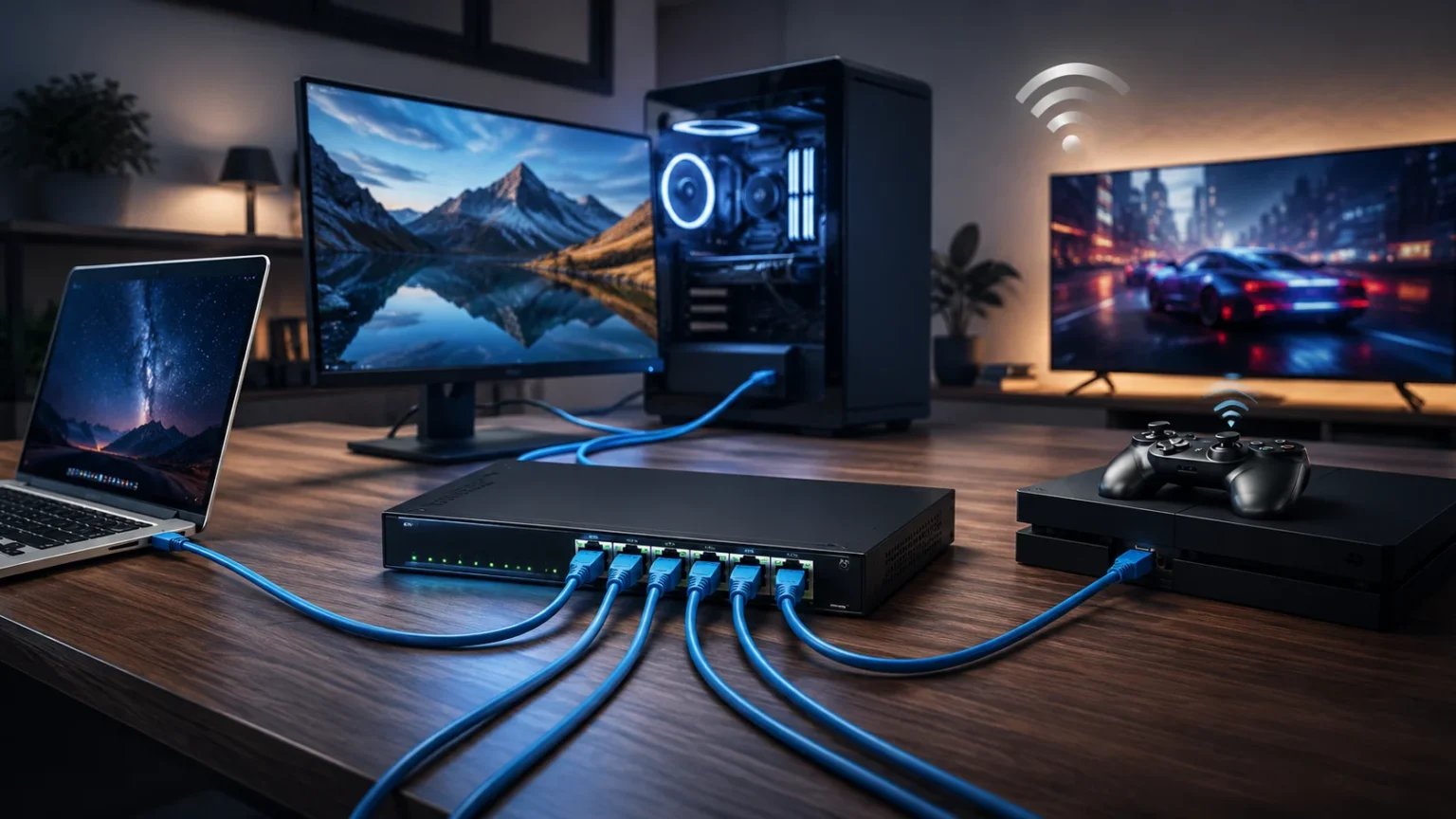

Wired Router: Why a Wired Connection Could Be Better Than Wi-Fi
Wi-Fi has become so convenient that plugging a device into a network cable can feel old-fashioned. Phones, tablets, laptops, smart TVs, and even appliances now connect wirelessly within seconds. Yet convenience does not always equal the best possible network performance. When consistent speed, low latency, and reliability matter, a wired router and Ethernet connection can still offer important advantages that wireless networking cannot completely eliminate.
Modern wireless standards have made enormous progress. Wi-Fi 6, Wi-Fi 6E, and Wi-Fi 7 offer greater capacity, faster theoretical speeds, and better management of multiple connected devices. However, wireless devices still communicate through radio signals that can be affected by distance, obstacles, congestion, interference, and the number of devices sharing an access point. Those variables can make real-world performance less predictable.
A wired network takes a different approach. Instead of transmitting data through the air, devices communicate with the router or network switch through an Ethernet cable. That dedicated physical connection often delivers more predictable bandwidth, stable latency, and fewer interruptions. For gaming PCs, workstations, NAS devices, desktop computers, servers, and media systems, these characteristics can be more valuable than wireless mobility.
That does not mean Wi-Fi should disappear from your home or office. Most modern networks work best when wired and wireless connections complement each other. Understanding where Ethernet has the advantage can help you decide which devices should remain wireless and which ones deserve a direct cable connection. Here is why a wired router could still be the better choice for demanding network tasks.
What Is a Wired Router?
A wired router is a router that allows devices to connect directly through Ethernet ports and network cables. The router directs traffic between your local network and the internet while assigning devices access to network resources. Most modern home routers actually support both wired Ethernet and wireless Wi-Fi, allowing users to choose the connection method that makes the most sense for each device.
On the back of a typical router, you will usually find one WAN or internet port along with several LAN ports. The WAN connection links the router to the modem, fiber terminal, or other internet equipment, while the LAN ports connect computers, gaming consoles, switches, smart TVs, network storage systems, and other Ethernet-capable devices. Additional Ethernet switches can expand the number of wired connections available.
A wired network commonly uses twisted-pair Ethernet cables such as Cat5e, Cat6, or Cat6a. Depending on the router, network adapter, switch, cabling, and other hardware involved, Ethernet networks can support Gigabit Ethernet as well as faster multi-gigabit connections such as 2.5GbE, 5GbE, and 10GbE. Your actual performance is limited by the slowest component in the connection path.
The key difference is that wired Ethernet gives the connected device its own physical link to the router or switch instead of communicating through a shared wireless channel. That simple difference affects everything from network consistency to latency. It is one reason Ethernet remains an important part of modern networks even as Wi-Fi technology continues to become significantly faster.
Wired Router vs Wi-Fi: What Is the Real Difference?
The biggest difference between a wired router connection and Wi-Fi is how information travels between devices. Ethernet sends network traffic through a physical cable, whereas Wi-Fi sends information over radio frequencies. Wireless networking gives you freedom to move around, but radio-based communication also introduces environmental variables that Ethernet does not normally face over a properly installed cable.
Wi-Fi performance can change according to your position relative to the router or access point. Walls, floors, furniture, neighboring wireless networks, electronic devices, and even the layout of a building can affect signal quality. Moving from the same room as the router to another floor can therefore produce noticeably different performance even though your internet subscription has not changed.
Ethernet connections are generally much more predictable. A properly configured computer connected directly to a Gigabit Ethernet port can maintain its network link without worrying about Wi-Fi signal strength. This makes wired networking especially useful for fixed devices that rarely move, including desktops, gaming PCs, network-attached storage, security systems, and office workstations.
Wi-Fi still wins when mobility and convenience matter most. Nobody wants to attach an Ethernet cable to a smartphone while walking through the house. The question therefore should not necessarily be Ethernet vs Wi-Fi for your entire network. A better approach is deciding which devices benefit enough from Ethernet to justify using a cable while leaving mobile devices on wireless connections.
Why a Wired Router Can Deliver More Consistent Speed
Speed is one of the first reasons people consider switching from Wi-Fi to Ethernet. Wi-Fi standards can advertise extremely impressive theoretical data rates, but those numbers should not be interpreted as guaranteed internet speeds for an individual device. Wireless bandwidth is affected by channel width, device capabilities, signal conditions, interference, access-point configuration, distance, and competition from other connected devices.
Ethernet is easier to predict because the link between your device and switch or router is dedicated. If your computer, router, and cable support Gigabit Ethernet, they can establish a gigabit-class local network connection under appropriate conditions. Newer networking equipment increasingly includes 2.5GbE or faster ports, which can be useful with multi-gig internet connections, fast NAS systems, and large local file transfers.
This distinction becomes particularly noticeable when moving large amounts of data within a local network. Copying video projects to a NAS, backing up computers, accessing shared storage, or transferring huge media libraries can place heavy demands on network bandwidth. A stable wired connection can make these operations more predictable because performance is not constantly changing with wireless signal conditions.
Your internet speed still depends on your internet service provider, modem or optical network terminal, router capabilities, servers being accessed, and other network conditions. Connecting a 100 Mbps internet plan through a 2.5GbE Ethernet port will not magically provide 2.5 Gbps internet. The benefit is removing the wireless link as one possible bottleneck between your device and router.
Lower Latency Can Make Ethernet Better for Gaming
Online gaming does not depend only on download speed. Network latency, jitter, and packet consistency can have an equally important effect on how responsive a game feels. Latency represents the delay involved when data moves between locations, while jitter describes variations in that delay. Even a very fast internet connection can feel inconsistent when latency fluctuates significantly during gameplay.
A wired Ethernet connection removes several wireless variables from the path between your gaming device and router. Your computer or console does not need to compete for airtime in the same way as devices using a shared Wi-Fi environment. Ethernet can therefore provide more consistent local network behavior, which is particularly valuable in competitive games where responsiveness matters more than downloading enormous amounts of data.
Wi-Fi has improved considerably, especially with modern standards and high-quality routers. A gaming PC sitting near a well-configured Wi-Fi 6E or Wi-Fi 7 router may have an excellent connection. Nevertheless, interference, congestion, distance, walls, and neighboring networks can still introduce variability. Ethernet reduces those environmental influences and gives serious gamers one fewer network factor to troubleshoot.
Connecting through Ethernet will not fix every latency problem. Slow game servers, poor ISP routing, overloaded internet connections, geographic distance, and background downloads can still increase ping. However, if your goal is to create the most stable connection possible between your gaming system and router, running an Ethernet cable remains one of the simplest and most dependable improvements available.
A Wired Connection Is More Reliable for Streaming and Video Calls
Video streaming can consume substantial bandwidth, particularly when several people are watching high-resolution content simultaneously. Although buffering is often blamed on the internet provider, the problem may sometimes exist inside the home network. Weak wireless coverage or interference between a streaming device and the router can reduce available throughput even when your broadband connection itself is performing normally.
A wired connection can be particularly useful for stationary entertainment devices. Smart TVs, desktop computers, streaming boxes, game consoles, and home theater systems usually remain in the same location for months or years. Connecting these devices through Ethernet can reduce their dependence on wireless signal quality while also removing some traffic from your Wi-Fi network for phones and laptops.
The same principle applies to video conferencing. Remote workers need more than raw download speed; they need a stable two-way connection for audio, video, screen sharing, and cloud applications. A temporary wireless interruption that barely affects web browsing can become obvious during a live meeting. Ethernet can provide a more predictable connection for important calls, webinars, online interviews, and remote presentations.
There are limits, of course. A wired router cannot prevent a video platform from experiencing an outage, nor can Ethernet correct problems within your ISP’s network. It can, however, strengthen the part of the connection you directly control. For people who depend on reliable connectivity for work, reducing one potential source of instability can make a meaningful difference.
Wired Networks Avoid Many Wi-Fi Interference Problems
Wi-Fi exists in a busy radio environment. Your network may compete with neighboring routers, especially in apartments, offices, dormitories, and other high-density locations. Wireless devices must work around this activity while maintaining communication with their access point. The more congested the surrounding spectrum becomes, the harder it can be to maintain consistently high performance for every connected device.
Physical barriers also affect wireless networking. Concrete walls, metal structures, multiple floors, mirrors, and other building materials can weaken signals or create difficult coverage areas. Mesh Wi-Fi systems and additional access points can improve coverage, but proper placement becomes important. Ethernet largely sidesteps these wireless propagation problems because network traffic travels through the cable rather than attempting to pass through walls as radio waves.
Distance creates another difference. Wi-Fi performance normally declines as a device moves farther from the access point or encounters additional obstacles. Ethernet has defined distance limitations too, and appropriate cable types and installation practices still matter. However, a correctly installed Ethernet run can provide predictable connectivity across distances where one wireless router might otherwise struggle to provide reliable indoor coverage.
This is why many strong Wi-Fi installations actually depend heavily on wired infrastructure behind the scenes. Ethernet cables can connect switches, access points, computers, cameras, and other network equipment throughout a building. In other words, Ethernet and Wi-Fi are not competing technologies in every situation. A good wired backbone can actually help create a better wireless network.
Is a Wired Router More Secure Than Wi-Fi?
A physical Ethernet connection has an inherent advantage in that network access requires connectivity to the wired infrastructure. An attacker cannot simply connect to an Ethernet cable that they cannot physically reach. Wi-Fi, by comparison, intentionally transmits radio signals beyond the exact physical location of the access point, making strong wireless authentication, encryption, passwords, and configuration especially important.
That does not automatically make a wired network completely secure. Anyone who gains physical access to an active Ethernet port may potentially connect a device unless additional network controls are in place. Malware, phishing, weak router passwords, outdated firmware, exposed services, and poor network configuration can compromise computers regardless of whether those devices use Ethernet or Wi-Fi.
Modern Wi-Fi can also be highly secure when properly configured. Strong encryption, updated equipment, secure administrator credentials, guest networks, automatic security updates, and modern authentication practices significantly improve protection. Businesses may add enterprise authentication, network segmentation, access controls, monitoring, and other security measures rather than relying on the physical connection method alone.
Therefore, Ethernet should be considered one part of network security rather than a replacement for good cybersecurity practices. Its physical nature eliminates certain wireless exposure concerns, but security still depends on the complete environment. Keep router firmware updated, change default credentials, use strong wireless encryption, disable unnecessary services, and protect both wired and wireless devices with appropriate security controls.
When Gigabit and Multi-Gigabit Ethernet Make Sense
Gigabit Ethernet has been common in consumer networking equipment for years and remains more than adequate for many households. A 1GbE connection can comfortably handle typical browsing, cloud applications, streaming, online gaming, and large downloads. Its biggest advantage is not simply its maximum speed but the consistent connection it can provide to devices that support it.
Multi-gigabit networking has become more relevant as internet plans and local storage systems have become faster. Routers, switches, motherboards, laptops, and NAS devices increasingly offer 2.5GbE connectivity. Ethernet standards also support 5GbE, 10GbE, and far higher speeds in specialized environments, although you need compatible equipment throughout the network path to benefit from those capabilities.
A faster Ethernet connection can be particularly valuable when transferring data locally. Imagine a video editor regularly moving hundreds of gigabytes between a workstation and NAS. Their internet connection may have little to do with that workflow because the transfer remains inside the local network. Upgrading from 1GbE to 2.5GbE or 10GbE can potentially provide a much larger benefit than upgrading Wi-Fi alone.
For ordinary users, however, there is no need to chase the highest number available. Buying a 10GbE router, switch, and network adapters makes little sense when your devices rarely transfer enough data to use that capacity. Evaluate your actual needs, internet plan, computers, storage equipment, and cabling before spending money on multi-gigabit networking hardware.
Choosing the Right Ethernet Cable for a Wired Router
Your Ethernet cable matters because different cable categories are designed for different networking capabilities and operating conditions. Cat5e remains widespread and can support Gigabit Ethernet in normal installations. Cat6 provides improved specifications and is a common choice when installing new Ethernet runs because it offers useful performance headroom without becoming unnecessarily expensive for many homes.
Cat6a becomes attractive when 10 Gigabit Ethernet over longer copper runs is an important requirement. Cable quality, length, termination, installation, and the network equipment attached at both ends also influence results. Simply replacing every Ethernet cable with the most expensive category available will not increase internet speed when another part of the network remains the limiting factor.
Avoid assuming that dramatically higher category numbers automatically make a cable better for your situation. For most home users, a properly manufactured Cat6 cable is a practical option for connecting desktops, consoles, TVs, switches, and access points. More demanding installations should consider required Ethernet speed, cable-run distance, electromagnetic conditions, building standards, and future upgrade plans before choosing cabling.
Installation quality matters just as much as the label printed on the cable jacket. Poor connectors, excessive cable damage, inappropriate routing, or badly terminated permanent wiring can create network problems. When installing structured cabling through walls or across an office, following appropriate cabling practices—or using a qualified installer for complex projects—can prevent reliability issues later.
The Biggest Disadvantages of Wired Networking
The most obvious disadvantage of Ethernet is that it requires cables. Running an Ethernet cable across a living room is rarely attractive, while installing cable inside walls may require drilling, wall plates, conduit, or professional help. Renters can face additional limitations because permanent cabling changes may not be allowed by their landlord or building management.
Mobility is another weakness. A desktop computer sitting under a desk works perfectly well with Ethernet because it rarely moves. A smartphone, tablet, or lightweight laptop is completely different. The freedom to walk from a bedroom to a kitchen while remaining connected is one of Wi-Fi’s greatest advantages, and Ethernet cannot provide that same experience.
Port availability can also become a consideration. Many routers include only a limited number of LAN ports, and increasingly thin laptops may not include a built-in Ethernet port at all. USB-to-Ethernet adapters and network switches solve these problems relatively easily, but they add equipment, cables, cost, and complexity compared with simply entering a Wi-Fi password.
Wired networking therefore should not be treated as universally superior. It is superior for specific priorities such as predictable performance, fixed high-bandwidth devices, and stable low-latency connections. Wi-Fi is superior when flexibility, fast deployment, mobility, and reduced cabling matter. A network designed around actual device requirements will usually outperform one that insists on using only one connection type.
Does Wi-Fi 7 Make Wired Routers Unnecessary?
Wi-Fi 7 represents a major advancement in wireless networking. It supports technologies such as wider channels, more advanced modulation, and Multi-Link Operation designed to improve throughput, capacity, latency, and reliability. Compatible Wi-Fi 7 devices can achieve extremely high wireless performance under favorable conditions, making wireless networking increasingly capable of handling workloads that previously favored Ethernet.
However, theoretical Wi-Fi capability and real-world performance are not the same thing. Wireless results continue to depend on device support, spectrum availability, distance, access-point design, channel conditions, obstacles, and network congestion. You also need compatible devices to benefit from the newest Wi-Fi features. An older laptop does not become a Wi-Fi 7 device simply because you purchase a Wi-Fi 7 router.
Ethernet has also continued evolving rather than remaining stuck at 1 Gbps. Consumer and professional equipment can support 2.5GbE, 5GbE, 10GbE, and beyond depending on the use case. More importantly, wired networking continues offering characteristics that matter independently of peak advertised speed, including dedicated physical links and predictable connectivity for fixed network devices.
Wi-Fi 7 therefore does not eliminate the need for Ethernet. Instead, it makes the wireless side of hybrid networks significantly stronger. A modern home might use Ethernet for gaming PCs, NAS systems, desktops, smart TVs, and wireless access points while Wi-Fi 7 serves phones, tablets, laptops, and smart-home devices. That combination can deliver both convenience and dependable performance.
Who Should Use a Wired Router Connection?
Competitive gamers are among the strongest candidates for Ethernet. Although a high-quality wireless connection can perform extremely well, competitive gaming rewards stable latency and minimal variation. If your gaming desktop or console sits only a few meters from your router, connecting an Ethernet cable is often a straightforward way to remove unnecessary wireless uncertainty from the connection.
Remote workers and content creators may also benefit considerably. Large cloud transfers, video conferences, remote desktop sessions, shared storage, and online collaboration all work better when connectivity remains consistent. Video editors, photographers, designers, developers, and other professionals who frequently access local network storage may see an even greater benefit from Gigabit or multi-gigabit Ethernet.
Home entertainment systems are another excellent use case. Smart TVs, game consoles, media servers, and streaming devices generally stay in one location, so mobility provides little advantage. Connecting these devices directly can free wireless capacity for truly mobile devices while providing entertainment hardware with a dependable network path for high-resolution streaming and large game downloads.
Businesses naturally make extensive use of Ethernet as well. Desktops, VoIP systems, access points, security cameras, servers, printers, storage systems, and other infrastructure frequently benefit from wired connectivity. Wireless networks remain essential for employee and guest mobility, but the physical Ethernet network often provides the backbone that keeps the overall environment connected.
Should You Choose Ethernet or Wi-Fi?
Choose Ethernet when your main priority is consistency. A wired router connection is particularly useful for desktop computers, gaming systems, NAS devices, workstations, smart TVs, servers, and other equipment that stays in one location. These devices gain little from wireless mobility, making a direct network cable an easy way to improve predictability.
Choose Wi-Fi when your priority is freedom. Phones, tablets, smart-home products, handheld gaming devices, and laptops that frequently move through the building naturally benefit from wireless access. Modern Wi-Fi standards can deliver excellent performance, and a well-designed wireless network is more than capable of supporting everyday browsing, streaming, productivity, and many demanding applications.
For most people, the best answer is not choosing one technology and abandoning the other. Build a hybrid wired and wireless network instead. Connect stationary, performance-sensitive devices through Ethernet whenever practical and reserve Wi-Fi capacity for devices that genuinely need mobility. You may improve overall wireless performance simply by moving some heavy network users onto Ethernet.
A wired router might feel less exciting than the newest wireless technology, but Ethernet continues solving a problem users care deeply about: dependable connectivity. Wi-Fi delivers extraordinary convenience, while Ethernet delivers predictability. When speed consistency, latency, stability, and reliability matter more than walking around with your device, plugging in that Ethernet cable can still be the better choice.
Final Thoughts: Is a Wired Router Worth It?
A wired router remains highly relevant even in an era of Wi-Fi 7 and increasingly powerful wireless devices. Ethernet’s biggest strength is not that Wi-Fi is inherently slow; modern Wi-Fi can be remarkably fast. Its strength is providing a direct, predictable connection that avoids many of the environmental variables associated with transmitting data over radio waves.
For gamers, remote workers, content creators, businesses, and households with network storage or high-bandwidth entertainment systems, that consistency can be valuable every day. Faster Ethernet technologies such as 2.5GbE also make wired connections increasingly attractive for people upgrading to multi-gig internet or transferring large files between devices on their local network.
Wi-Fi remains essential because convenience matters too. Running cables to every smartphone, tablet, smart speaker, and portable laptop would defeat the purpose of owning mobile devices. The strongest networking strategy therefore combines the two technologies rather than treating Ethernet and Wi-Fi as mutually exclusive alternatives.
Use Wi-Fi where mobility adds value and Ethernet where reliability adds value. That simple principle can help you build a network that feels faster, behaves more consistently, and handles demanding devices without unnecessarily crowding your wireless connection. Sometimes the most effective networking upgrade is still one of the simplest: connecting a cable.
Frequently Asked Questions
Is a wired router faster than Wi-Fi?
Ethernet can provide more consistent real-world speeds because the device has a direct physical connection. Actual speed still depends on your Ethernet ports, cable, router, internet plan, and connected hardware.
Is Ethernet better than Wi-Fi for gaming?
Ethernet is often preferred for gaming because it can provide stable latency and avoid wireless interference. It cannot eliminate latency caused by game servers, ISP routing, or internet congestion.
Does using Ethernet slow down Wi-Fi?
Normally, no. Moving high-bandwidth stationary devices onto Ethernet can actually reduce demand on the wireless network, leaving more Wi-Fi capacity available for phones, tablets, and laptops.
Do I need a special router for Ethernet?
Most modern Wi-Fi routers already include Ethernet LAN ports. If you need more wired connections than the router provides, you can usually connect an Ethernet switch to expand the network.
Is Ethernet still worth using with Wi-Fi 7?
Yes. Wi-Fi 7 significantly improves wireless speed and capability, but Ethernet still provides a predictable physical connection for gaming PCs, workstations, NAS devices, servers, TVs, and other fixed equipment.