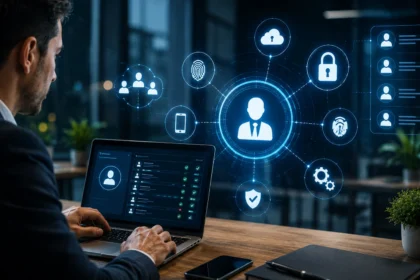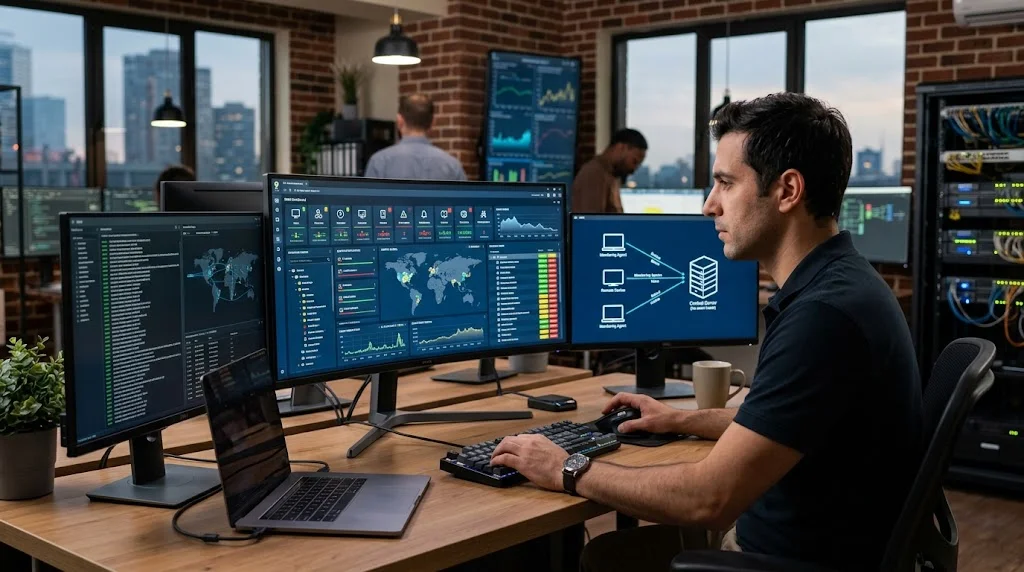

Managing dozens, hundreds, or even thousands of computers manually can quickly overwhelm an IT team. Employees expect devices, networks, applications, and business systems to remain available, yet IT professionals cannot physically inspect every endpoint whenever something goes wrong. RMM software solves this challenge by allowing technicians to monitor, manage, update, and troubleshoot devices remotely from a centralized platform.
Remote Monitoring and Management, commonly shortened to RMM, has become especially important for managed service providers, internal IT departments, and organizations supporting distributed or remote workforces. Instead of reacting only after users report problems, RMM tools can continuously watch devices for warning signs and automatically notify technicians when something requires attention. This proactive approach can reduce downtime while making routine IT operations significantly more efficient.
Modern RMM platforms go far beyond simple remote desktop access. They can automate software updates, deploy patches, monitor CPU and memory usage, manage services, run scripts, track hardware inventory, generate reports, and integrate with help desk systems. Understanding how RMM software works can help organizations decide whether it belongs in their IT management strategy and how to use it effectively.
What Is RMM Software?
RMM software is a technology platform that allows IT professionals to remotely monitor and manage computers, servers, network equipment, and other endpoints. The software collects information about device health and sends it to a central management console. Technicians can then view problems, perform maintenance, and take corrective actions without physically visiting each machine.
RMM platforms are commonly used by managed service providers, often called MSPs, that manage technology for multiple customers. An MSP can install RMM agents across client devices and supervise hundreds of endpoints from one dashboard. Internal IT departments can use the same technology to manage computers across offices, warehouses, retail locations, and remote employee environments.
The main purpose of remote monitoring and management software is to make IT support more proactive and scalable. Rather than waiting for a laptop, server, or network service to completely fail, technicians can receive alerts when performance begins deteriorating. Early detection gives IT teams more time to investigate issues before they significantly affect users or business operations.
How Does RMM Software Work?
Most RMM systems operate through a combination of software agents, centralized dashboards, monitoring rules, and automated actions. A lightweight RMM agent is installed on managed computers and servers, where it collects technical information about the endpoint. That information is securely transmitted to the RMM platform so technicians can monitor devices remotely.
Administrators configure monitoring policies that define which conditions should trigger alerts or automated responses. For example, the platform might notify technicians when disk space falls below a specified level, a service stops running, or CPU usage remains unusually high. Different policies can be applied to servers, employee computers, customer environments, and other device groups.
Once a problem is detected, the RMM platform can either inform a technician or automatically perform a predefined action. It might restart a failed service, remove temporary files, run a diagnostic script, or open a support ticket. Combining continuous monitoring with automation allows IT teams to resolve many routine issues before users even notice them.
RMM Agents: The Technology Running on Managed Devices
The RMM agent acts as the connection between an endpoint and the central management platform. It usually runs quietly in the background while collecting information about operating system status, hardware performance, installed applications, services, network activity, and other system conditions. Because these agents are lightweight, users generally should not notice them during normal computer use.
Agents also allow technicians to perform remote management actions from the RMM dashboard. Depending on the platform and administrator permissions, technicians may run commands, install software, change configurations, restart services, deploy updates, or remotely access the desktop. This eliminates many situations where IT staff would otherwise need physical access to the device.
Modern RMM platforms typically allow administrators to group agents based on company, department, location, operating system, or device type. Policies can then be assigned automatically to those groups, ensuring consistent settings across hundreds of endpoints. Centralized policy management is particularly useful for organizations that need standardized IT configurations across many locations.
Real-Time Monitoring Helps IT Teams Spot Problems Earlier
Continuous device monitoring is one of the most valuable features of RMM software. The platform can monitor CPU utilization, available memory, disk capacity, system temperatures, event logs, running processes, services, and network connectivity. Technicians receive visibility into endpoint health without repeatedly checking each device manually.
Monitoring can also extend beyond individual computers. Many RMM tools support servers, routers, switches, printers, firewalls, virtual machines, and other network-connected equipment. Technologies such as SNMP monitoring can provide information about compatible infrastructure devices, giving administrators a broader understanding of what is happening across the network.
The real advantage comes from identifying unusual conditions before they turn into major failures. A server may still be operating even though its disk is almost full or memory consumption is gradually increasing. RMM monitoring can highlight these warning signs early, allowing technicians to investigate while the affected system remains available.
Intelligent Alerts Turn Monitoring Data Into Action
Collecting system information has limited value unless IT teams know when something actually requires attention. RMM platforms therefore use alerting rules to identify important conditions and notify technicians automatically. These notifications may appear within the RMM dashboard or be delivered through email, mobile applications, messaging platforms, or integrated ticketing systems.
Good alert configuration is essential because excessive notifications can create alert fatigue. If technicians receive hundreds of low-value warnings every day, genuinely important problems can become harder to identify. Administrators should configure thresholds carefully and distinguish between informational events, warnings, and urgent incidents requiring immediate investigation.
More advanced RMM systems can reduce unnecessary alerts by applying automation before escalating problems. For example, the platform might detect that a critical Windows service has stopped and automatically attempt to restart it. A technician may only receive a ticket if the automated repair fails, allowing the IT team to focus on problems that genuinely require human intervention.
IT Automation Makes RMM Much More Scalable
Automation is one of the biggest reasons organizations adopt remote monitoring and management tools. Routine IT tasks that once required technicians to manually connect to individual computers can often be completed automatically across many devices. Examples include deleting temporary files, restarting services, installing applications, collecting diagnostic information, and running maintenance scripts.
Many platforms provide scripting capabilities using technologies such as PowerShell, shell scripts, command-line tools, or proprietary automation frameworks. IT teams can build repeatable workflows that respond to specific monitoring conditions. Once tested properly, these automations can perform the same troubleshooting steps consistently across hundreds of endpoints without requiring continuous technician involvement.
Automation also improves operational consistency because technicians are less dependent on remembering every manual step. Policies can ensure that devices receive the same maintenance processes regardless of location or user. For MSPs managing multiple customers, this standardized approach makes it possible to support larger environments without increasing technician workload at the same rate.
Patch Management Keeps Systems Updated
Software vulnerabilities are discovered regularly, making timely patching an important part of endpoint management. RMM software can help administrators identify missing operating system and application updates across managed devices. Instead of manually checking computers individually, technicians can view patch status from one centralized dashboard.
Administrators can usually create patch management policies that determine when updates should be reviewed, approved, installed, or postponed. Business-critical devices may follow different schedules from ordinary workstations because unexpected restarts could interrupt important services. Maintenance windows allow updates to occur during periods when disruption is less likely to affect users.
Reliable patch management can improve both security and system stability, but automatic updates still require careful planning. IT teams should test important patches when appropriate and monitor devices after deployment. RMM reporting can reveal which endpoints successfully installed updates and which machines require further investigation, helping administrators maintain more consistent patch compliance.
Remote Access Lets Technicians Troubleshoot Devices Anywhere
RMM platforms commonly include remote access capabilities that allow technicians to connect to an employee or customer computer without being physically present. Once connected, support staff can investigate software errors, adjust settings, remove unwanted applications, or guide users through technical problems. This capability is particularly useful for businesses with remote employees or multiple locations.
Some troubleshooting actions do not require technicians to open a visible remote desktop session. RMM tools may provide background command prompts, file managers, registry access, process managers, service controls, and scripting interfaces. Technicians can therefore fix certain problems without interrupting the person actively using the computer.
Remote management can also include actions such as locking, restarting, or shutting down machines when organizational policies permit them. Emergency control concepts are related to technologies such as a kill switch, which can disable or interrupt a system when specific conditions occur. In RMM environments, these powerful administrative controls should always be protected with strong authentication and clearly defined permissions.
How RMM Software Supports Endpoint Security
RMM software is primarily an IT management platform, but it can play an important role in an organization’s endpoint security strategy. Continuous monitoring helps administrators identify unexpected services, outdated software, unusual resource consumption, failed updates, and other conditions that might require investigation. Centralized visibility can make potentially risky configuration problems easier to discover.
Many modern RMM platforms also integrate with antivirus, endpoint detection and response, DNS filtering, firewall management, backup, and vulnerability management tools. This allows technicians to review multiple aspects of endpoint security through connected systems. MSPs can use these integrations to offer security services alongside traditional remote monitoring and maintenance.
RMM itself must also be secured carefully because administrators can use it to control many connected devices. Multi-factor authentication, role-based permissions, logging, device approval, strong password policies, and limited technician privileges should be treated as essential safeguards. Compromised RMM credentials could otherwise provide an attacker with powerful access across an organization’s environment.
Asset Inventory Gives IT Teams Better Visibility
Keeping track of hardware and software becomes increasingly difficult as organizations add more devices. RMM tools can automatically collect asset information such as operating system versions, processor details, memory capacity, disk information, serial numbers, and installed applications. Administrators gain a continually updated inventory without asking employees to manually report their device specifications.
Software inventory is particularly useful when administrators need to identify outdated or unauthorized applications. An IT team can search managed endpoints to determine which computers contain a particular program or version. This can accelerate security responses when a vulnerable application must be updated or removed across an entire organization.
Asset data also supports budgeting and lifecycle planning. Technicians can identify aging hardware, devices nearing storage limits, or computers still running outdated operating systems. Instead of replacing equipment only after failures occur, organizations can create planned upgrade schedules based on actual device information collected through the RMM platform.
Backup Monitoring Adds Another Layer of Data Protection
Many organizations rely on backup tools to protect business data, but backups require monitoring to ensure they are actually completing successfully. RMM platforms can integrate with backup solutions or monitor related services and logs. Technicians can receive alerts when scheduled backups fail, storage capacity becomes insufficient, or backup software stops functioning.
This visibility is important because unnoticed backup failures can continue for weeks or months. A company may assume its data is protected until a ransomware attack, hardware failure, or accidental deletion reveals that recent recovery points are unavailable. RMM alerts allow technicians to investigate failed backup jobs much earlier.
Remote monitoring does not replace a well-designed backup strategy, however. Organizations still need appropriate retention policies, multiple copies, secure storage, and regular recovery testing. RMM simply helps administrators supervise backup operations more efficiently and identify problems before an actual disaster forces the company to depend on its recovery system.
RMM and Help Desk Systems Work Better Together
RMM platforms become even more useful when they integrate with ticketing or Professional Services Automation systems. When monitoring detects an issue, the platform can automatically create a help desk ticket containing relevant device information. Technicians then have a documented workflow for investigating, resolving, and closing the incident.
This integration reduces the gap between monitoring and support operations. Instead of manually transferring alert information into another system, important details such as device name, customer, error condition, and timestamp can appear automatically within the ticket. Automated documentation can save technicians time while improving consistency across support cases.
For MSPs, PSA integration can also support time tracking, service agreements, billing, customer documentation, and technician scheduling. The combination of RMM and PSA software creates a connected operational environment where technical monitoring and business workflows work together. This makes it easier to manage large numbers of customers without relying on disconnected tools and manual processes.
Why Managed Service Providers Rely Heavily on RMM
Managed service providers often support technology environments belonging to dozens or hundreds of separate businesses. Sending technicians to every customer whenever a device develops a problem would be expensive and difficult to scale. RMM software allows MSP technicians to monitor many client environments from centralized dashboards while maintaining separate policies and permissions for each organization.
Proactive monitoring also supports the recurring-service model used by many MSPs. Rather than selling only reactive repair work, providers can continuously maintain systems, deploy patches, monitor backups, perform automated maintenance, and identify potential problems. Customers benefit from ongoing IT support instead of contacting a technician only after something stops working.
RMM reporting can also help MSPs demonstrate the work being completed behind the scenes. Reports may show patch compliance, resolved alerts, device health, hardware inventory, automation activities, and other maintenance data. This visibility can help customers understand the value of managed services even when proactive monitoring prevents many noticeable technical problems from occurring.
Internal IT Teams Can Benefit From RMM Too
RMM software is not limited to managed service providers. Internal IT departments can use the same technology to support employees across headquarters, branch offices, warehouses, stores, and home environments. Centralized device visibility becomes particularly useful when an organization’s workforce is geographically distributed.
Remote troubleshooting can reduce support delays because technicians do not need to travel to every employee experiencing a technical problem. They can inspect device performance, review system information, run diagnostics, and connect remotely when necessary. This capability can significantly improve response times for employees working away from the main office.
Internal IT teams can also use automation to handle repetitive administrative work. Standard maintenance scripts, patching policies, software deployments, and monitoring rules can be applied consistently throughout the organization. This gives technicians more time to focus on security improvements, infrastructure projects, user experience, and other higher-value technology initiatives.
Key Benefits of Using RMM Software
One of the biggest RMM benefits is improved visibility across IT environments. Administrators can monitor endpoint health, software versions, performance, services, patches, and alerts from a central location. Without RMM, much of this information may remain invisible until an employee reports a problem or a critical system fails.
RMM can also reduce support costs by minimizing unnecessary travel and automating repetitive work. A technician may manage hundreds of endpoints simultaneously instead of spending large portions of the day moving between individual computers. Remote diagnostics can help identify the cause of a problem before anyone needs physical access to the affected machine.
Another important benefit is improved consistency. Monitoring policies, scripts, maintenance rules, and update schedules can be standardized across devices rather than relying on different technicians to remember individual procedures. Consistent management can reduce human error while making larger IT environments easier to maintain as organizations continue growing.
Common Challenges and Risks of RMM Platforms
RMM software offers significant benefits, but poor configuration can create problems. Excessive monitoring rules may generate thousands of alerts that technicians cannot realistically investigate. Organizations should gradually refine thresholds and automation so important notifications receive attention while harmless events do not overwhelm support teams.
Security is another important concern because an RMM platform often has privileged access to managed endpoints. Compromised administrator accounts could potentially allow unauthorized users to perform remote actions across many devices. Strong identity controls, multi-factor authentication, role separation, audit logs, and regular security reviews are therefore essential when deploying remote management technology.
Automation can also cause widespread problems when scripts or policies are not tested carefully. A poorly written command deployed to hundreds of devices can create more disruption than performing the task manually. Successful RMM programs usually test automation on small device groups before gradually expanding deployment across the wider environment.
Cloud RMM vs On-Premises RMM
Cloud-based RMM platforms are hosted by the software provider and accessed through a web interface or application. Organizations generally do not need to maintain the underlying RMM servers themselves, which can simplify implementation and ongoing upgrades. Cloud platforms are particularly convenient for technicians who need to manage endpoints from different locations.
On-premises RMM systems are hosted within infrastructure controlled by the organization using them. This approach can provide additional control over deployment architecture, data location, and certain security configurations. However, the organization becomes responsible for maintaining the servers, software updates, backups, availability, and capacity of the RMM platform.
Many modern organizations choose cloud RMM because it offers easier scalability and requires less infrastructure management. On-premises options can still make sense for environments with specialized compliance, network, or control requirements. The right choice depends on security policies, IT resources, regulatory needs, business size, and the locations of managed devices.
How to Choose the Right RMM Software
Start by considering the number and types of endpoints that need management. Some platforms are designed primarily for MSPs supporting multiple customers, while others focus on internal IT environments. Check support for required operating systems, servers, network devices, virtual environments, and any specialized hardware your organization regularly manages.
Next, evaluate core RMM features such as monitoring, patch management, automation, remote access, reporting, asset inventory, scripting, and alert management. Integrations with PSA platforms, help desks, backup tools, security products, and documentation systems can also significantly affect workflow efficiency. A long feature list matters less than whether the features support your actual operational processes.
Usability, security, support, and pricing deserve equal attention during evaluation. Technicians should be able to navigate the dashboard efficiently without spending excessive time learning basic tasks. Review authentication options, permission controls, audit logs, vendor security practices, automation capabilities, technical support, contract terms, and how pricing changes as endpoint counts grow.
Best Practices for Implementing RMM Successfully
A successful RMM deployment should begin with clearly defined management objectives rather than activating every available feature immediately. Identify which endpoints require monitoring, which conditions are genuinely important, and which repetitive support tasks could benefit from automation. Starting with high-value use cases makes the platform easier for technicians to adopt.
Monitoring policies should then be tested and refined over time. Establish realistic thresholds for disk space, resource consumption, service failures, offline devices, patch status, and other important conditions. Review alert volumes regularly so technicians are receiving useful information rather than being overwhelmed by notifications that rarely require action.
Security controls should be built into the deployment from the beginning. Require multi-factor authentication, restrict administrative privileges, review technician accounts regularly, and maintain detailed activity logs. Test scripts before large deployments, document automation processes, keep RMM agents updated, and periodically review whether existing policies still match the organization’s changing IT environment.
Conclusion
RMM software gives IT teams a centralized way to monitor, maintain, troubleshoot, and automate technology across distributed environments. By combining endpoint monitoring, alerts, patch management, remote access, scripting, inventory, and reporting, organizations can identify many technical problems before they cause significant disruption.
Managed service providers use remote monitoring and management platforms to support large numbers of customer devices efficiently, while internal IT departments can use the same technology to manage modern hybrid workforces. The greatest value comes from proactive visibility and automation that reduces repetitive manual work without sacrificing control.
Choosing the right platform is only the beginning because successful RMM also depends on thoughtful monitoring policies, secure administrative access, tested automation, and regular optimization. When implemented carefully, RMM can reduce downtime, improve IT efficiency, strengthen endpoint management, and help technology teams support growing organizations more effectively.
Frequently Asked Questions
What does RMM software do?
RMM software allows IT professionals to remotely monitor, maintain, update, and troubleshoot computers, servers, and network devices. It provides centralized visibility, automated alerts, patch management, scripting, remote access, and other endpoint management capabilities.
Who uses RMM software?
RMM is widely used by managed service providers and internal IT departments. MSPs use it to manage technology for multiple customers, while businesses use RMM to support employees, servers, offices, and remote devices.
Is RMM software the same as remote desktop software?
No. Remote desktop software mainly provides interactive access to another computer, while RMM platforms include monitoring, automation, patching, alerting, inventory, scripting, reporting, and remote support features across many managed endpoints.
Can RMM software improve cybersecurity?
RMM can support cybersecurity by improving patch compliance, monitoring endpoints, identifying unusual conditions, and integrating with security tools. However, it does not replace antivirus, EDR, firewalls, identity security, backups, or other dedicated security controls.
What is the difference between RMM and MDM?
RMM focuses broadly on monitoring and managing computers, servers, and IT infrastructure, while Mobile Device Management primarily controls mobile devices and organizational policies. Some modern platforms increasingly combine capabilities from both categories.